

Some of my earliest memories go back to the late 90s when Game Boy Color was introduced. I remember being six or seven years old, going into the store with my dad to pick up Game Boy Color and a copy of Pokémon Blue. I spent many hours playing that Game Boy, and in retrospect, it played a big role in sparking the interest in technology that I still have today. Fast forward to 2026, and mobile gaming has evolved in ways we couldn’t imagine back then. Touchscreens are incredibly functional, but there’s no substitute for the functionality of real buttons, and most controllers aren’t portable enough to justify carrying around. So when I saw how small and lightweight the M4 Snap-On Mobile Controller was, I knew I had to check it out for myself. Here’s what you need to know.
Be sure to check out our hands on M4 Snap-On controller!
In this part, let’s focus on the facts. Below this, you can see my real thoughts on it. But it’s amazing that they managed to get into a device that you can hold in the palm of your hand. They use modularity, MagSafe, Bluetooth, and clickable buttons to give you a seamless mobile gaming experience. Here are the details:
- It opens with MagSafe
- Weighs only 55g
- Full controller layout: Dual joysticks, ABXY buttons, D-pad, shoulder buttons, buttons, home button, start, and select
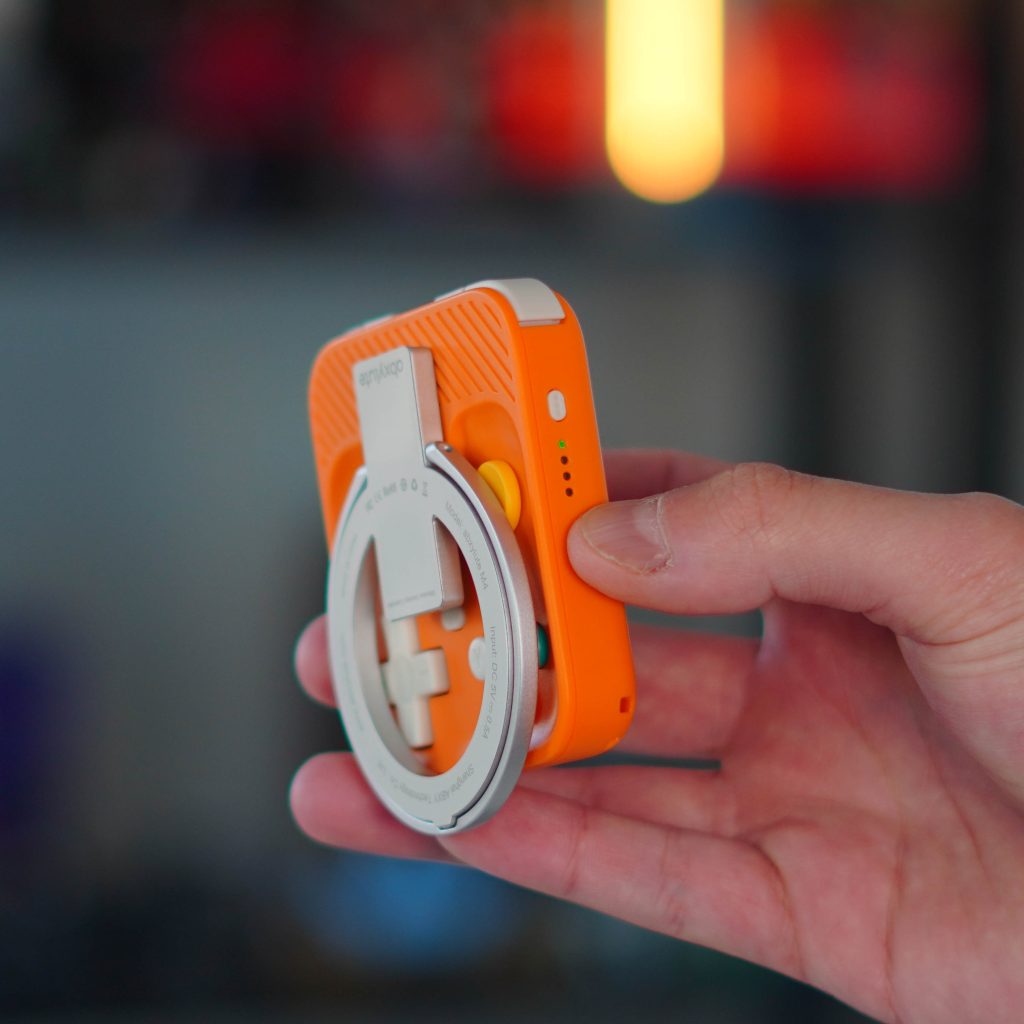
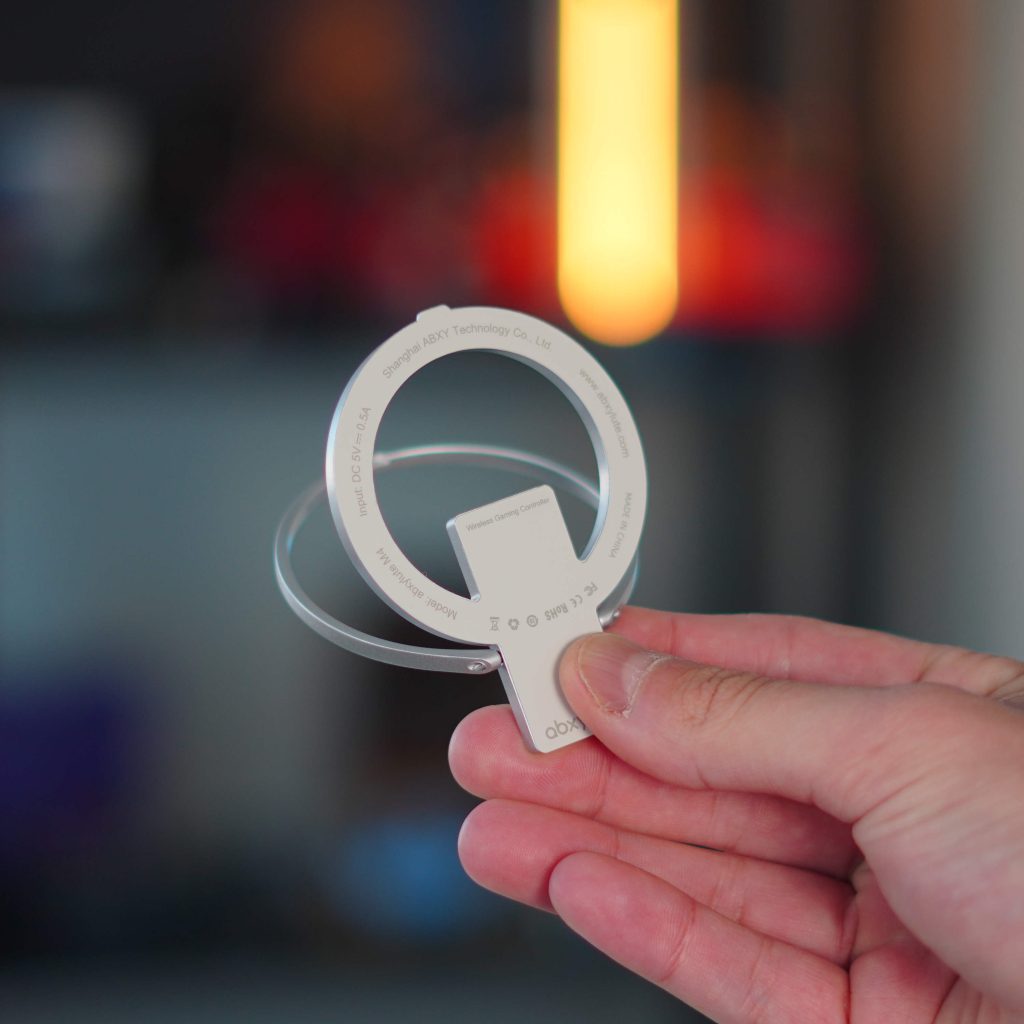
- A magnetic ring comes off the controller and allows you to set it in tablet mode
- Bluetooth 5.3
- Battery life is limited to 12 hours and is charged via USB-C
- Compatible with: iOS, Android, PC, Nintendo Switch, Xbox Cloud Gaming, and emulators.
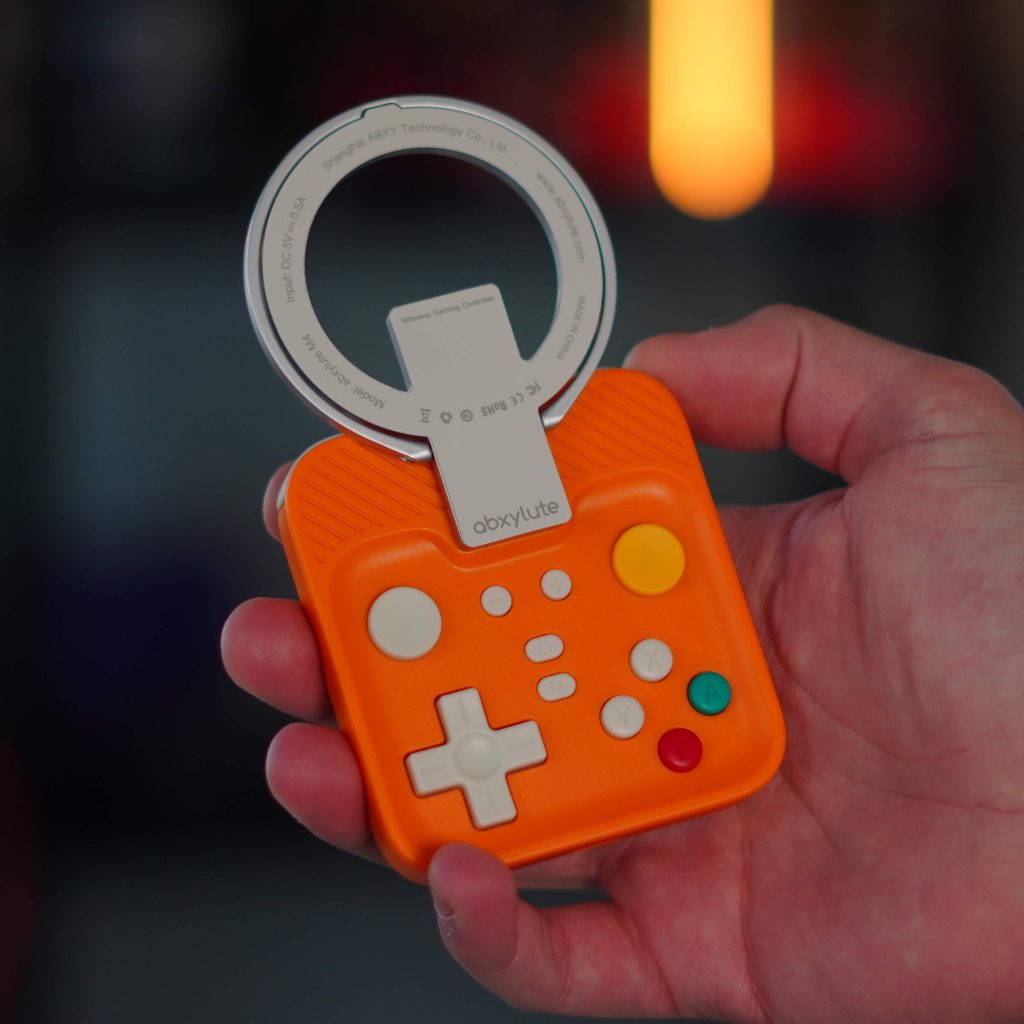
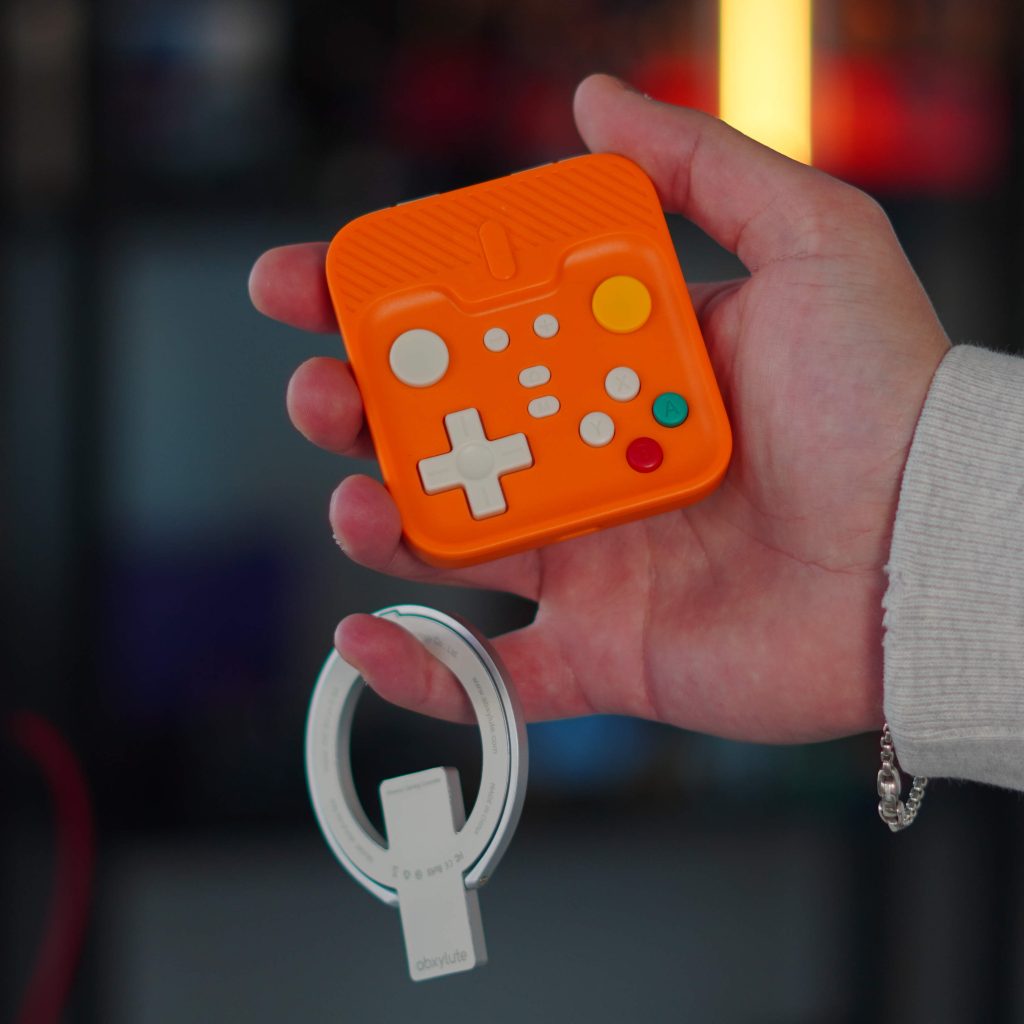
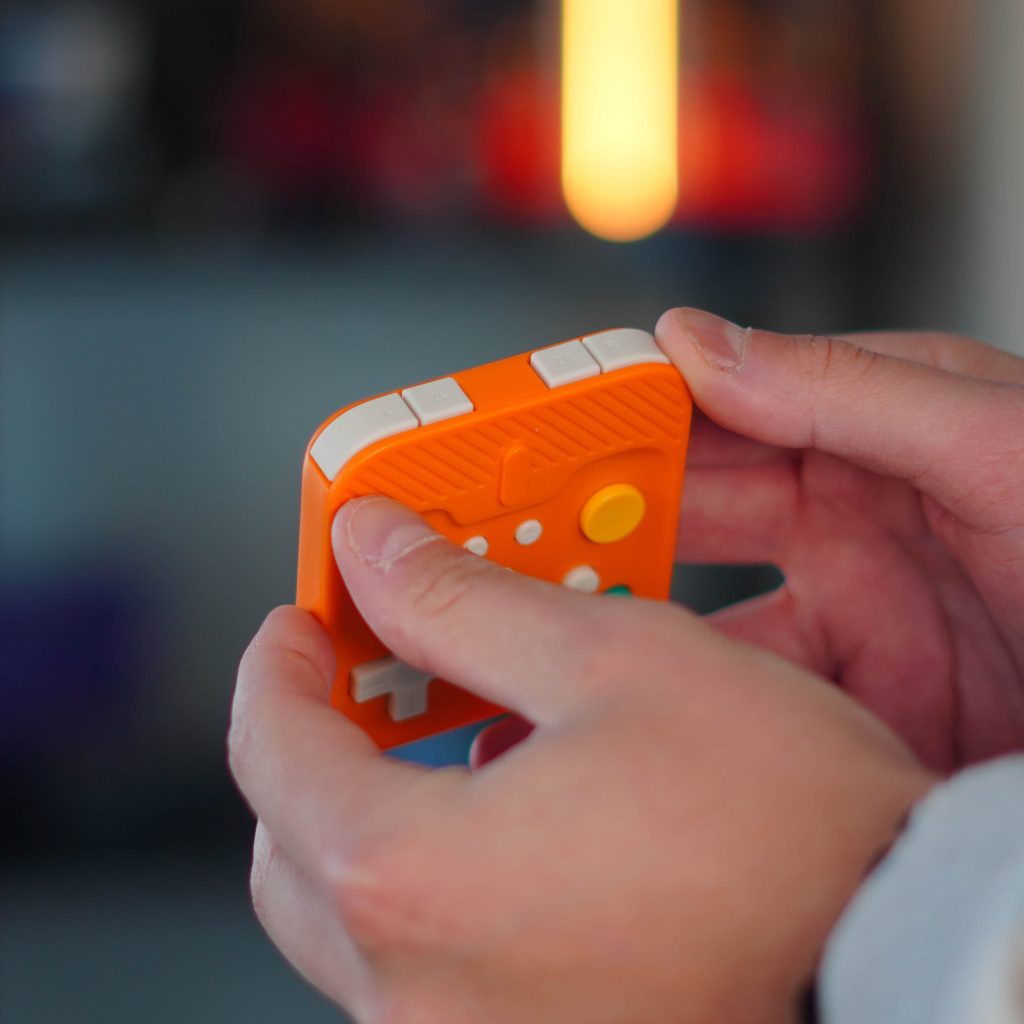
As you can see above, it checks a lot of boxes for a mobile controller. It’s also a great added bonus to use with your Nintendo Switch. You also get a magnetic ring that sticks in the pocket if your phone doesn’t already have MagSafe. And you get a nice lanyard in the box. But now, how was it actually used?
My experience
The M4 has been a great experience, especially for the type of games I tend to gravitate towards. I used it primarily with the Delta emulator to play my Pokémon games, and it feels like a controller made for retro titles. Those old game titles just play better when you have real buttons instead of relying on haptic feedback from your display. I’ve been on quite a few flights lately, so this was a perfect testing ground for this device. I used it to play the Delta emulator and played Apple Arcade titles that support controllers, like NBA 2K and Retro Bowl. The flight was about 3 hours, so I played for 2.5 hours straight. I wanted to check the battery, constant Bluetooth connection, and size. The controller is very small, so I wanted to make sure it didn’t squeeze my hands. What made me happy was that it was good. Battery and connectivity haven’t been a problem, and gaming feels great.
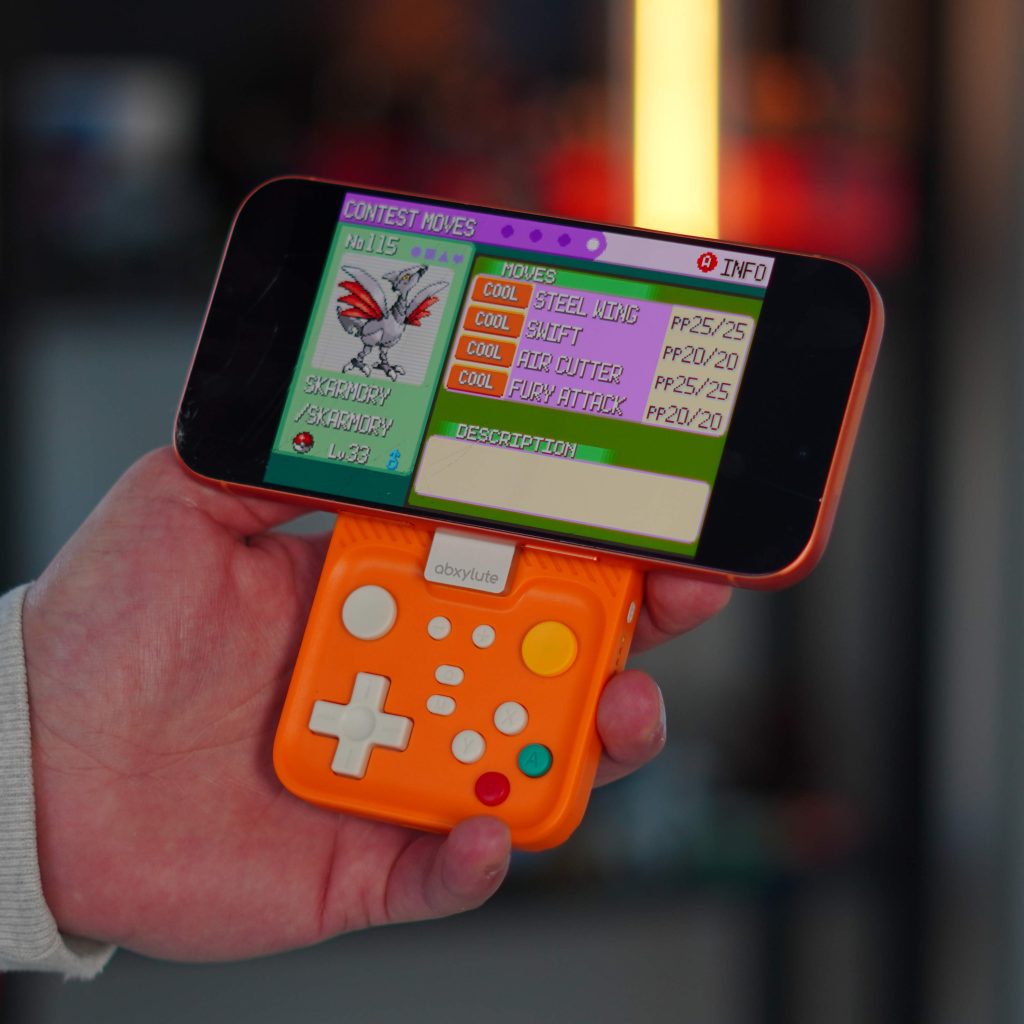
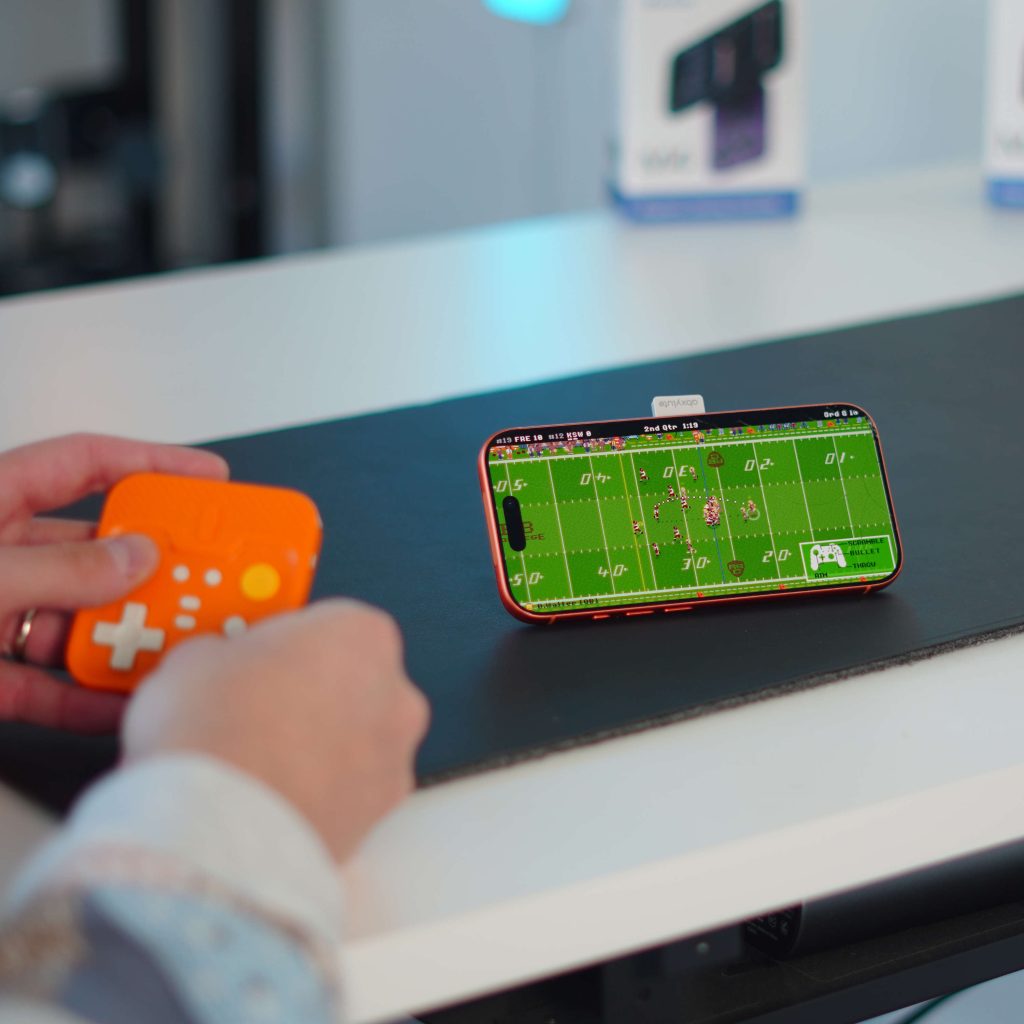
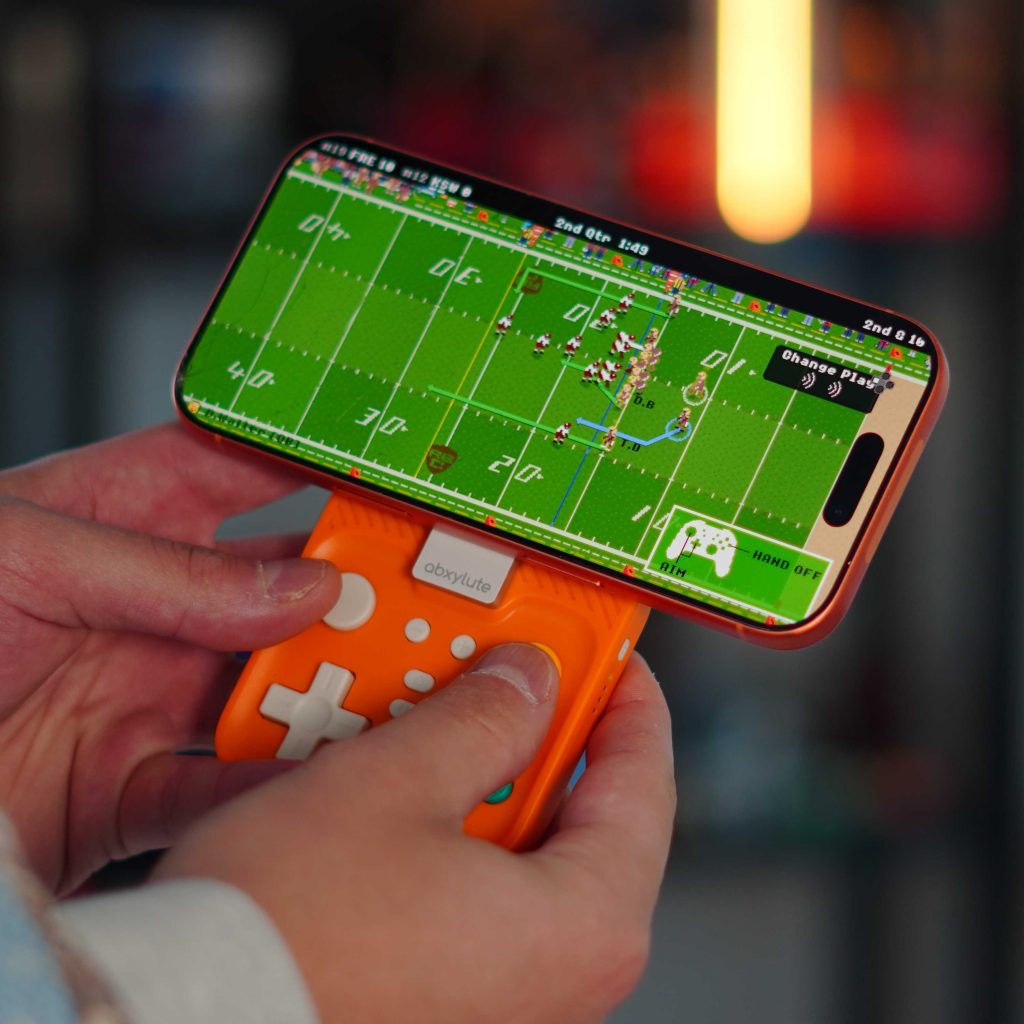
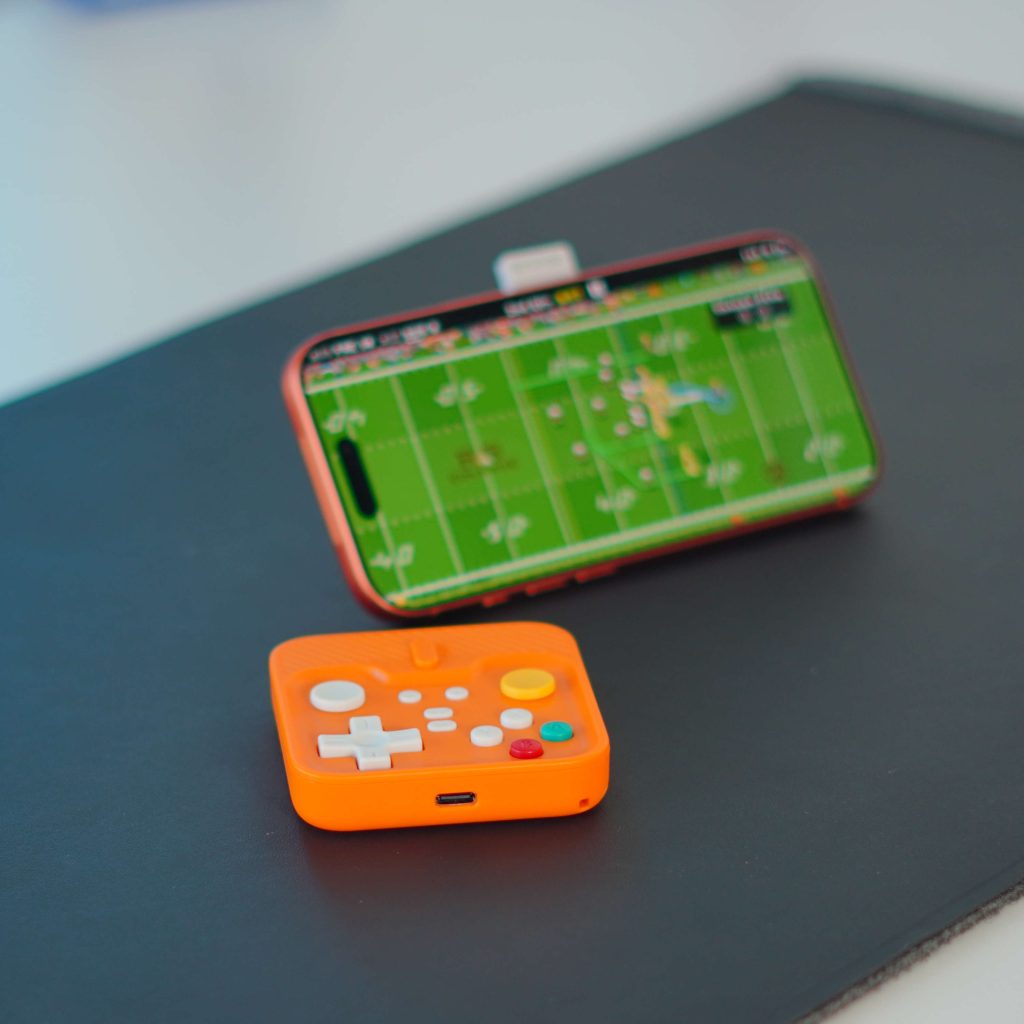
The games I play don’t really need quick turns or fast action. But if you’re playing a game like Call of Duty or Fortnite, the controller will still be comfortable enough to play for a long time. From my testing, there is also no lag. Some notable interesting things about this are the modularity and the magnetism. The magnets in the controller are insanely strong. I think this wins the award for the strongest magnetic attachment of the device so far. The modularity piece is nice too, and helps with hand fatigue/strain. You can remove the magnetic ring from the controller, and it opens to form a stand for your iPhone. This allows you to play in tabletop mode, which is how I played Retrobowl most of the time. It makes it feel like a small console in your pocket.
The last thing I wanted to announce is that this is great for world-only games, covering a lot of situations where you might want to use a controller. Many vertically oriented games rely on swiping and touching the screen. I liked this because the Delta emulator removed the on-screen controls when it realized it had physical controls attached. So the experience was very immersive and premium.
Price and availability
The abxylute M4 Snap-On Mobile Controller is available today on the abxylute website. It comes in six colors: Phantom Black, NGC Indigo, Atomic Purple (my favorite), Cosmic Orange (which I use), Halo Green (background color only), and Retro White. Abxylute sells these for $49, which I think is a great price for everything they can do. I also like how they lean on nostalgia and a retro look with colors and materials. And, to repeat, this works as a Switch console controller!
Final thoughts
If you’ve grown out of physical controls and still appreciate that traditional gaming feel, the abxylute M4 is an easy recommendation. It takes the friction out of mobile gaming, brings back the tactile experience that many of us miss, and does it in a package small enough to carry everywhere. The best part is the modularity. You can keep it attached when not in use if you like, or remove it completely and put it in your pocket. The design and ergonomics are also good. It doesn’t try to install a real game controller; instead, it focuses on practicality, convenience, and imagination.
What do you think of this controller? Is $49 worth it to you? Do you play on your iPhone enough to warrant a dedicated controller like this? Let’s chat below!
The best deals for Apple


FTC: We use auto affiliate links to earn income. More.



