

Music lovers with an Apple kit have long been forced to choose between the sound quality found in well-known audio players and the smoothness of the AirPods communication method – but the Technics EAH-AZ100 headphones have largely solved this problem.
They not only deliver the best sound quality I’ve ever had with in-ear headphones, but also an Apple-like Just Works experience when switching between devices…
Problem with Bluetooth
Pairing headphones with our devices has always been a difficult task. Simply putting them into pairing mode seems to involve a different process from every single manufacturer, and even if they automatically go into pairing mode when you first remove them from their case, pairing them to additional devices almost always requires you to consult the instructions or do some googling.
On the device end, too, it’s surprising how often we find ourselves needing to turn Bluetooth off and on again before new headphones appear in the pairing options.
Even if we have done the initial setup, changing our use of headphones from Mac to iPad to iPhone is not automatic.
All these problems are why Apple decided to create a proprietary communication method for AirPods. The problem with this is that while the sound quality of AirPods has improved a lot over the years, it doesn’t compete with the best of what you can get from established audio companies, even at similar prices. That left us forced to choose between the fastest connection and the best sound.
Technics automatic 3-point connection
The first level of Bluetooth can connect to one device at a time. Two-point connection is followed, so you can easily switch between, say, an iPhone and a Mac. The three-point connection offered by the Technics EAH-AZ100 (just AZ100 from now on) is still rare.
Some companies can’t buy Apple’s H-series chip to get the same smooth setup, so the initial pairing process remains a hassle (hold the touchpads on both the left and right earphones for five seconds to put them in pairing mode with the second or third device).
But once you’ve paired three devices, all you need to do is switch from one device to another to start playing audio on the new device while wearing headphones. This is very similar to AirPods.
See & feel
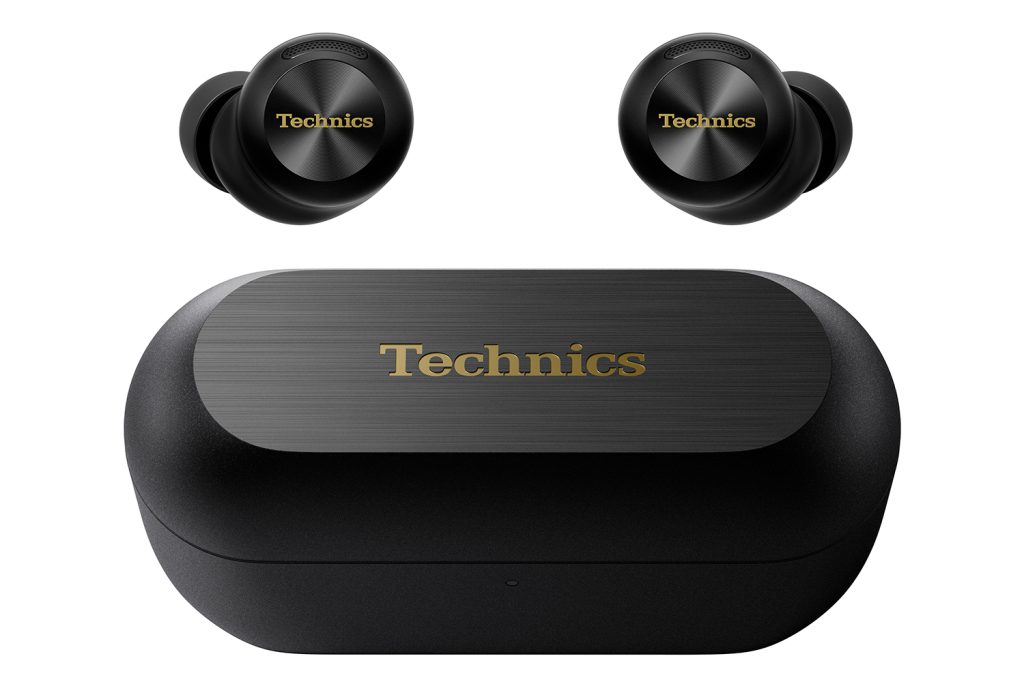
The AZ100 is an update on the well-regarded AZ80, but it’s a decent improvement in form factor alone, with both earbuds and a case that’s smaller and lighter.
They are available in a choice of black, silver, champagne gold, or midnight blue. I chose black, obviously.
The headphones come with five pairs of ear tips, and an accompanying app that aims to let you test each of them to find out which one gives the best signal. The app didn’t work for me, it said it couldn’t find a result for the third set I tried, but I seem to have normal sized ears as I always find that the automatic tips work best for me regardless of the brand.
I have to say that the AZ100s offer the best comfort I’ve ever had with in-ear earphones. At one point, I literally forgot I was wearing them after pausing the music and being distracted for a few hours. I also find that they never come close to feeling in danger of breaking up.
Battery life allows you to make the most of this luxury: up to 10 hours on a single charge when ANC is used and another 18 hours on a case recharge.
Touch controls
The AZ-100 uses touch controls. I generally don’t like this, especially in situations where you can’t look at the area you intend to touch. However, while my preference is still the physical buttons, I have to say that the larger touch buttons on these make them easier to use.
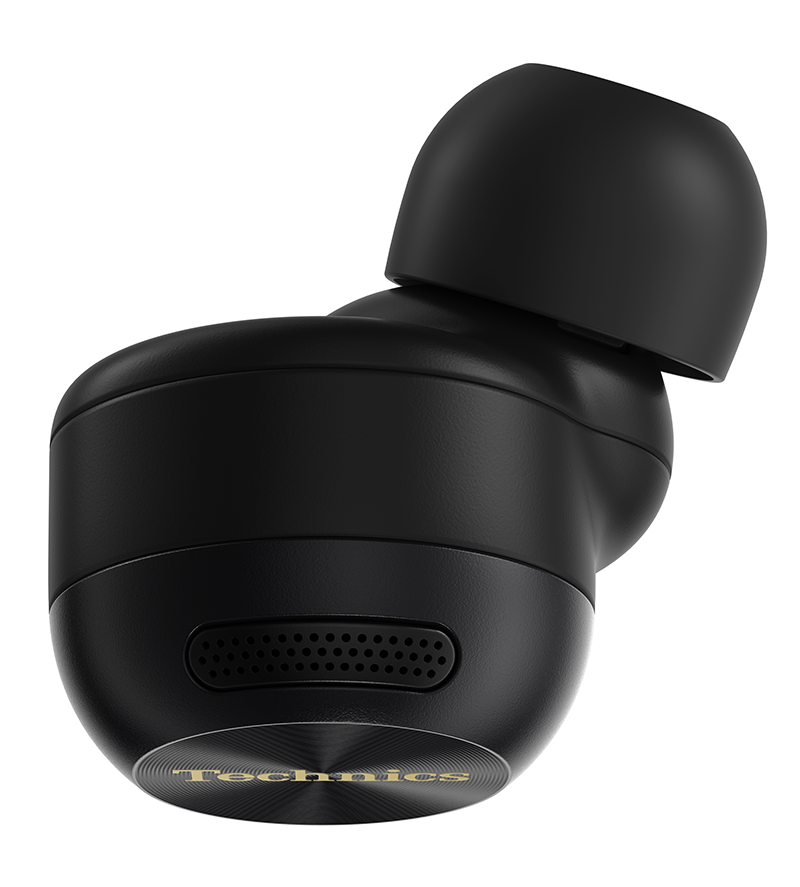
The entire exterior of each earbud is a touchpad, and you can use the app to change the default functions available for each.
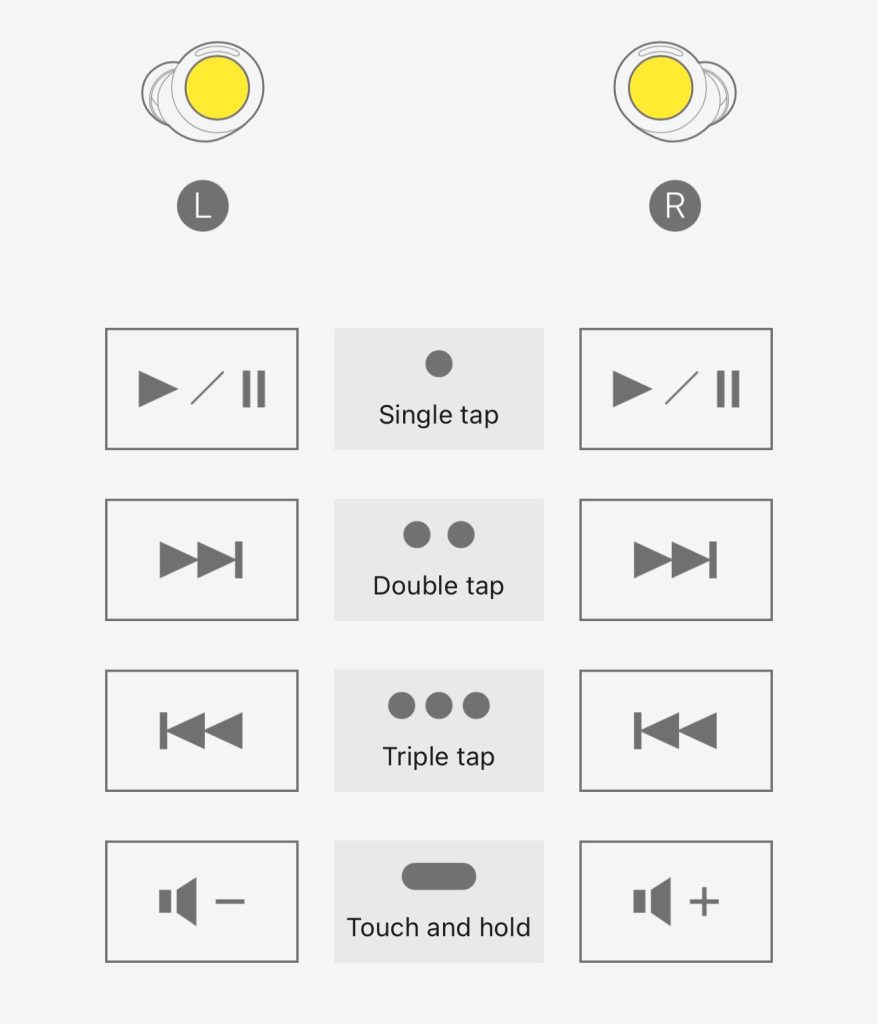
Being able to assign functions independently to the left and right touchpads means you can have up to eight features available on tap, literally. However, I don’t want to have to pause to remember which side to tap, so I personally chose to repeat multiple controls. The only difference is the logical separation of left and right volume adjustment.
Sound quality
I always say I’m not much of a music person, but my ears appreciate the difference between mass market headphones and high quality ones, thank you very much before we get into silly money.
My previous headphones were the Master & Dynamic MW09 which I reviewed back in 2023. It was a previous iteration of this that convinced me to break my previous habit of using on-ear headphones while traveling. Unfortunately, another challenge to the usefulness of in-ear headphones is that they are effectively disposable when the batteries eventually die. That left me looking for a replacement.
The main feature of the AZ100, apart from the three-point connection, is the Magnetic Fluid Driver. As the name suggests, this means that the drivers are suspended in an oil-like fluid that has magnetic properties that help reduce distortion. This technology was first introduced in the company’s $1,200 EAH-TZ700, and it still seems amazing to me that it’s now available in pairs for just $299.
The first test track I listen to with any headphones is Adele’s Rolling in the Deep. This has a really good frequency range, and for me it’s a great bass test. I’m very sensitive to the bass: I need it to be punchy enough but not overpowering. This song has three sections of bass sounds at the beginning, starting at 0:25, 0:43 and 1:00. The AZ100s sound perfect in each.
Neutrality across the entire frequency range is also key, and the headphones once again pass this test with flying colors.
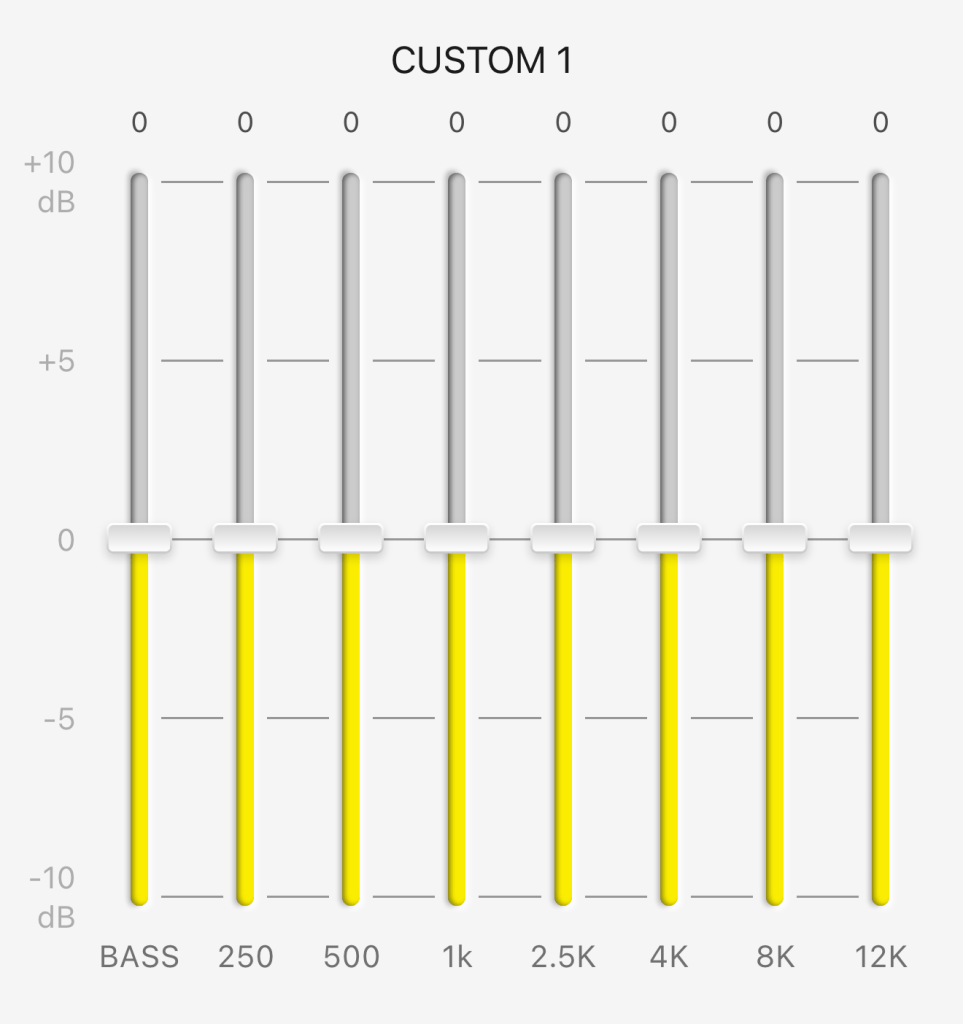
You can adjust the EQ settings in the companion app. There are six presets and three custom settings. I suspect that quite a few people will prefer the Bass+ preset (with a Super Bass+ option that I can honestly say seems aimed at Beats customers). Personally, I found that the neutral settings were best for me.
Headphones that support surround sound. This works just as well as it does on AirPods, but I’m personally not a fan.
The ANC
Customization seems to be the watchword with the AZ-100s, an app that lets you tweak the performance in all sorts of ways. This includes being able to adjust the ANC to your liking. I find the default settings work best for me, and the performance is incredibly impressive for in-ear headphones thanks to the three microphones on each side.
There’s a transparent mode if you want to hear what’s going on around you, and this didn’t bother me at all. There’s also an attention mode that emphasizes frequencies in the human voice range so you can better hear people talking to you. I found this worse than better.
I don’t judge you too badly with these options, as I personally see it as polite to remove at least one earphone when someone is talking to me, and it is quick to do this (the sound is automatically muted) as it is to choose a transparent mode, even if you give a tap on that.
For phone calls, there’s a voice-focused AI noise reduction feature that aims to eliminate background noise from the person on the other end of the call. After listening to the other purpose of this, I found it shocking! However, they are perfectly fine for phone calls in automatic mode.
Values and conclusions
AZ100s come in at $299. This puts them above the AirPods Pro 3 and makes them more expensive than the AirPods 4 with ANC.
However, there is no question in my mind that this is completely justified by the sound quality. These are the best sounding in-ear headphones I’ve ever tried. Combine them around AirPods-like simplicity with great comfort, and for me this is a no-brainer. Treat yourself: your ears will thank you.
The Technics EAH-AZ100 headphones are available on Amazon. Older AZ80s are also still available if you want similar but not identical sound performance and are willing to trade for a larger form factor for a savings of around $100.


FTC: We use auto affiliate links to earn income. More.



